


In This Article
- Executive Summary
- Why Chromatography Data Still Lives on Local PCs
- What Inspectors Find on Standalone Workstations
- Five Control Gaps a Standalone PC Cannot Close
- What Regulators Expect, and What Is Still in Draft
- The Target Architecture: What Networked and Managed Means
- Planning the Move: Inventory, Triage, and Sequencing
- Legacy Data: Migrate, Archive, or Keep Readable
- Validating the New CDS Without an 18-Month Project
- Conclusion
- For Further Reading
- References & Sources
Executive Summary
Many pharma and biotech quality control labs still run HPLC and GC instruments from standalone PCs. Each workstation stores results in local folders, uses its own clock, relies on someone in the lab to back it up, and often gives analysts administrator rights because no one else supports it. FDA warning letters from 2020 through 2025 describe the same findings again and again: shared logins, deleted files, clocks that analysts could change, audit trails that were never turned on, and backups that did not exist.
Chromatography data integration means moving acquisition, processing, and storage off those local PCs into one networked, managed chromatography data system (CDS). The data goes into a central database, IT administers the system, time comes from a trusted source, and backup happens automatically. The hard parts are not the software choice. They are the inventory of what you have, the decision about each instrument’s legacy data, and a validation approach that does not take a year and a half.
This article explains why standalone workstations persist, what inspectors find on them, the five control gaps a local PC cannot close by itself, and what FDA, PIC/S, and EU GMP expect (including what is still only in draft). It then sets out a practical sequence for the move: inventory and triage, target architecture, legacy data decisions, and a phased validation plan.
Why Chromatography Data Still Lives on Local PCs
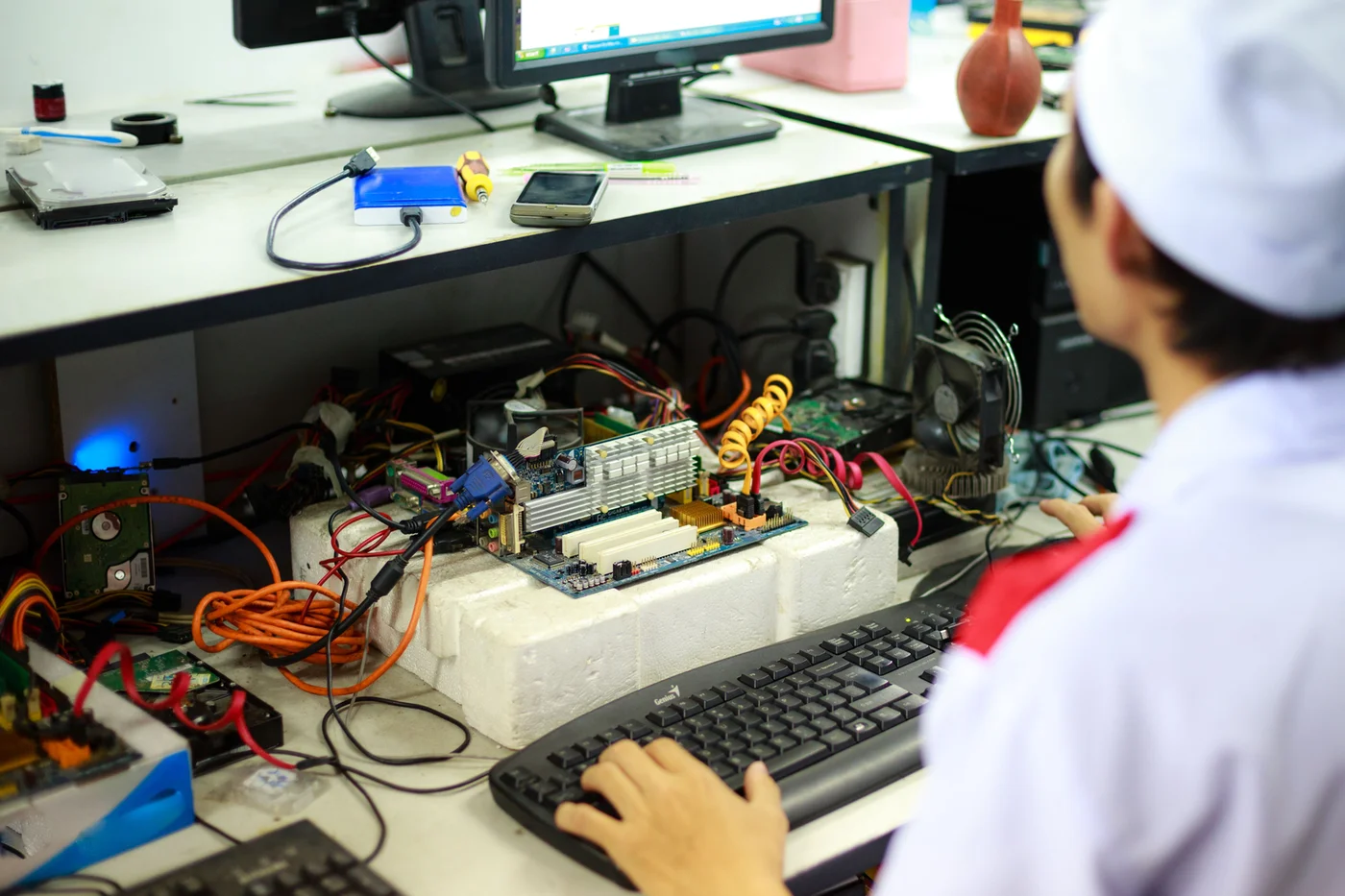
Walk through almost any quality control lab that has grown over twenty years and you will find a mix of setups. Some chromatographs report to a central server. Others are run from a PC under the bench that was bought with the instrument, loaded with the vendor’s software, and never connected to anything. That second group is the subject of this article.
Chromatography data systems developed in stages. A 2019 review in LCGC traced the path from strip chart recorders and electronic integrators to PC workstations, and then to client-server networks, which the authors note became dominant in the 1990s for both small and large labs.6 The same review describes current systems that store data in relational databases and can be deployed on premises or in the cloud. So the technology to avoid standalone workstations has existed for decades. The question is why so many remain.
How the Standalone PC Survives
In our experience, standalone chromatography PCs persist for a handful of ordinary reasons, none of which involve anyone deciding that standalone is the right design:
- Instruments arrive one at a time. A new HPLC is bought for a new method or a capacity gap, and it comes with a workstation license. Connecting it to a central system means a project, a change control, and IT time. Plugging in the local PC means none of those things.
- Different vendors, different software. A lab that runs instruments from three suppliers may have three CDS products, each installed separately. Consolidating them is a bigger decision than any single purchase.
- Development work moved into GMP use. A workstation set up for method development becomes the release-testing instrument when the product advances, and its configuration never changes.
- IT and the lab each assume the other owns it. The PC is lab equipment to IT and a computer to the lab. Nobody patches it, and nobody backs it up on a schedule.
- It works. The instrument runs, results come out, and nothing forces a change until an audit or an inspection does.
Three Configurations, Three Risk Levels
It helps to name the configurations precisely, because the controls differ. A standalone workstation may control one chromatograph or several. A networked CDS uses a central server and database, with acquisition happening at the instrument and processing possible from any authorized client. A third, common pattern is the hybrid system: the workstation holds the electronic records, and signed paper printouts serve as the approved record. R.D. McDowall, who has written about CDS compliance for more than two decades, calls the hybrid system the worst possible choice for managing regulated data, because the lab must keep the paper and the electronic records linked and synchronized for the full retention period.2
Burgess and McDowall put their position plainly in a 2015 series on the ideal CDS for a regulated lab. In their words, “for regulated analysis standalone workstations are not fit for purpose and should not be used.”1 They go on to recommend only a networked architecture. That view is not a regulation. It is the considered opinion of two experienced practitioners, and it matches what the enforcement record shows.
What Inspectors Find on Standalone Workstations
FDA warning letters are the clearest public evidence of what goes wrong on local instrument PCs. The letters below were selected because they describe findings on laboratory computers used to generate release or stability data. Most concern chromatography. One (Nortec Quimica) concerns spectrophotometer workstations, and it is included because FDA’s description of the standalone setup is unusually specific and the same failure modes apply to chromatography PCs.
| Warning Letter | Systems Involved | What FDA Described |
|---|---|---|
| International Trading Pharmaceuticals Laboratories, April 20209 | Stand-alone computers running an HPLC and a GC (contract testing lab) | Analysts who tested samples could delete raw data files and alter date and time stamps. Audit trails were not enabled. The firm’s proposed fix, printing all chromatograms, was rejected because a printout does not preserve the dynamic record. |
| Nortec Quimica, December 202210 | Stand-alone UV-Vis and IR spectrophotometer computers; chromatography software | Over 100 deleted files in the recycle bins, including files with batch numbers in the name. A common username, no Windows password, no application login, and no backup of the stand-alone computers. The quality unit did not review chromatography raw data or audit trails. |
| Lex Inc., August 202311 | HPLC systems | Some lab staff had administrator rights to delete or modify HPLC files, with no way to trace who did it. Backups of lab equipment data were not adequately maintained. The firm acknowledged a lack of knowledge of the HPLC software. |
| Laboratorio Magnachem International, June 202412 | HPLC systems used for release and stability testing | No unique usernames and passwords. Lab staff had administrator rights to delete or modify HPLC files. No traceability of who deleted or modified data. Backups not adequately maintained. |
| Unipack LLC, December 202513 | HPLC | Electronic records in a folder showed more sample injections than the number for which results were generated. FDA redacted both counts in the published letter. Unknown peaks were not integrated or investigated, and integration was inhibited across a retention time window. |
A few points stand out when the letters are read together rather than one at a time.
The Findings Repeat Across Years
The 2020 and 2024 letters describe nearly the same pattern four years apart: analysts with rights to delete files, no individual traceability, and missing backups. McDowall’s 2022 review of CDS non-compliances lists the most common violations: shared user identities where all users are administrators, failure to back up records (especially on a standalone system), incomplete data, unofficial testing, and audit trails that are missing, turned off, or not reviewed.3 Every one of those is easier to commit, and harder to detect, on a standalone PC.
FDA Asks for an Inventory That Separates Standalone From Networked
In the Nortec and Lex letters, FDA asked each firm for a list of all laboratory hardware, both standalone and networked, along with the vulnerabilities of non-networked systems.10,11 In both letters FDA also asked for technological improvements to increase the integration of data from standalone equipment into the LIMS network. That request is worth noting. When FDA describes remediation for these findings, integration is part of the answer, not just better procedures.
Printouts Do Not Fix the Problem
The International Trading Pharmaceuticals letter is the most direct statement on a common instinct. When a standalone system is found to be insecure, the tempting fix is to print everything and treat paper as the record. FDA rejected that approach because electronic records are dynamic and a static printout does not preserve the complete original record.9 FDA’s data integrity questions and answers guidance makes the same point about stand-alone instruments in general.14
A note on what the letters do not say. Several letters give counts only as redacted values. The Unipack letter, for example, states that a folder showed approximately “(b)(4)” injections and results for approximately “(b)(4)” injections. The public record does not give those numbers, and no one should repeat an estimate of them. What the letter does establish is the pattern: injections existed in local storage that did not appear in reported results.
Five Control Gaps a Standalone PC Cannot Close
A standalone workstation can be made better. You can add individual accounts, turn on the audit trail, lock the clock, and write a backup procedure. The trouble is that each of those controls depends on the same people who generate the data, working on the same machine that holds the data. The five gaps below explain why.
Access and Administration
On a local PC, someone in the lab usually holds the administrator password for both Windows and the CDS. PIC/S says QC supervisors and managers should not be system administrators for lab systems such as HPLC and GC, and that administrators should have no interest in the outcome of the data.15
File-Based Storage
Many workstation installations write results to folders in the operating system. Anyone with Windows rights to that folder can copy, rename, or delete files outside the application and outside its audit trail. Burgess and McDowall state that data files in operating system directories are not fit for purpose in a regulated environment.1
Time and Date
Every audit trail entry is only as reliable as the clock that stamped it. PIC/S expects the operating system clock to be synchronized with connected systems and access to clocks restricted to authorized people.15 A PC that is not on the network has nothing to synchronize with.
Backup and Restore
A local backup depends on someone remembering to do it and someone checking that it can be restored. McDowall’s observation is blunt: “If backup is left to the laboratory, it will inevitably fail, because backup is not the main function of a chromatography laboratory.”2
The fifth gap is newer, and in many labs it is the one that finally forces a decision.
Gap 5: Operating System Support
Instrument PCs tend to run whatever operating system was current when the instrument was installed, because the CDS version and the instrument drivers were qualified on it. Microsoft ended support for Windows 10 on October 14, 2025. Organizations can buy Extended Security Updates for Windows 10 for a maximum of three years after that date, on an annual paid basis, and the program includes security fixes only, not new features or general technical support.19
PIC/S addresses this situation directly. It expects operating systems to be updated in a timely way and application migration to be planned before platforms reach an unsupported state. Where unsupported operating systems remain in use, PIC/S says those systems should be isolated as much as possible from the rest of the network.15 That creates a real tension for a standalone PC. Isolation reduces the security risk, but it also makes central backup, time synchronization, and IT administration harder. Moving the instrument onto a current, managed platform removes the tension rather than managing around it.
Why Procedures Alone Fall Short
Each of these gaps can be narrowed with a procedure. The problem is that a procedure on a standalone PC is enforced by the people it is meant to control. The same analyst who runs the sample can, in principle, reach the file system, the clock, and the backup media. FDA’s guidance describes audit trail review as something the people responsible for record review should do alongside the rest of the record.14 On a standalone system, that review has to happen workstation by workstation, which in a busy lab tends to mean it happens less often than it should.
What Regulators Expect, and What Is Still in Draft
No regulation says “do not use standalone workstations.” What the regulations and guidance do say, taken together, is very hard to meet on a local PC run by the lab.
United States: 21 CFR 211.68 and FDA’s Data Integrity Guidance
21 CFR 211.68(b) requires appropriate controls over computer or related systems so that only authorized personnel make changes to records, and requires a backup file of data entered into the computer.18 FDA’s 2018 guidance on data integrity and compliance with drug CGMP explains how FDA reads those words:14
- Backup means a true copy of the original record, kept securely for the whole retention period, including metadata, in the original format or a compatible one. Temporary copies made in case of a crash do not count.
- Shared logins do not meet CGMP requirements because a unique individual cannot be identified. Shared read-only accounts for viewing data are acceptable, but they cannot be used for actions that must be attributable, such as second-person review.
- Stand-alone instruments are not exempt from keeping dynamic records. FDA states that records from certain lab instruments, whether stand-alone or networked, are dynamic, and a printout or static record does not preserve them.
- Reprocessed chromatography must keep every result for review, not only the final one.
- Computer or related systems include hardware, software, peripherals, networks, cloud infrastructure, people, and documents.
PIC/S PI 041-1
The PIC/S guidance on data management and integrity, in force since July 2021, is the most specific regulator text on this topic.15 It lists non-networked electronic systems among the systems that may have data integrity vulnerabilities. On data transfer, it notes that temporary storage on a local instrument computer before transfer to final storage creates an opportunity for data to be deleted or manipulated, and calls this a particular risk for standalone, non-networked systems. It expects data to be transferred directly to the secure location rather than copied from the local drive, and it states that well-designed, qualified automated transfer is much more reliable than manual transfer. It also expects that when software or operating systems change, existing and archived data can still be read, which may require converting old data or keeping the old software available.
EU GMP Annex 11: Current Text and the Draft Revision
The current EU GMP Annex 11 dates from 2011. It requires data to be secured by physical and electronic means, regular backups whose integrity and restorability are checked during validation and monitored periodically, controls that restrict access to authorized people, and validation checks that data are not altered in value or meaning when transferred to another format or system.16
The European Commission published a draft revision of Annex 11 for consultation in July 2025. The draft runs to 19 pages and adds dedicated sections on identity and access management, audit trails, security, backup, and archiving.17 Two proposed clauses are directly relevant here. The draft states that all users should have unique, personal accounts, and that shared accounts, other than read-only accounts, constitute a violation of data integrity. It also states that migration of critical data or a whole database from one system to another should be based on a validated process.
Status check. As of late September 2026, the revised Annex 11 is still a draft. The European Commission’s EudraLex Volume 4 page continues to list the January 2011 revision as the current Annex 11.20 The draft shows what regulators are considering, but it has no final text or implementation date yet. Plan against the 2011 text and PIC/S PI 041-1 today, and treat the draft as a signal of where inspectors’ expectations are likely to go.
The Target Architecture: What Networked and Managed Means
“Networked” by itself is not the goal. A workstation that saves files to a shared network drive is networked, and it still has most of the gaps above. The goal is a managed CDS: one where the controls are built into the system and run by people who do not generate the data.
| Control | Standalone Workstation | Networked, Managed CDS |
|---|---|---|
| Data storage | Files in local operating system folders | Central database with data and metadata stored together |
| User accounts | Local accounts, often shared; lab holds admin rights | Individual accounts, often tied to the corporate directory; IT holds admin rights |
| Audit trail | Depends on local configuration; may be off | On by design, protected from users, reviewable centrally |
| Clock | Local PC clock, changeable by a local admin | Synchronized to a trusted time source, controlled by IT |
| Backup | Manual, local media, rarely restore-tested | Automated, off the instrument, restore tested on a schedule |
| Review | At the instrument, one workstation at a time | From any authorized client, with review-by-exception tools |
| Patching | Often never, to avoid disturbing a qualified setup | Controlled through change management on a planned cycle |
The Core Design Choices
Burgess and McDowall set out the main design choices in their architecture article.1 Data should be stored in a database rather than in operating system directories. Where a system can only use flat files, extensive mitigations are needed, including restricting operating system access to authorized administrators. The date and time should be taken out of lab control, with IT staff the only people with access to a network clock synchronized to a trusted source such as a Network Time Protocol (NTP) server. Backup and recovery should be the job of IT, not the lab.
Their article also covers a practical detail that matters for design. A networked CDS lets data be acquired on one instrument while processing happens on another workstation, because the data is on the central server. They recommend one or more data servers in the lab to buffer data, so a network outage does not lose an overnight run, and they note that even a small lab with a single chromatograph can store data on a virtual network server. Ask any vendor how its system behaves when the network drops mid-sequence, and test it.
Segregation of Duties Is Part of the Architecture
PIC/S expects normal users to have normal rights only, administrators to be independent from the people doing the testing, and typically IT staff outside the quality and production organizations to serve as administrators.15 For smaller organizations, it allows a nominated person in the quality unit or production to hold administrator access, provided that person uses a separate, restricted account for routine work and all administrator activity is recorded and approved within the quality system. Deciding who administers the system is a design decision, not something to settle after go-live. McDowall makes the same case from the other direction: the best solution is an IT group responsible for configuring the application, managing user accounts, and handling backup and recovery, and “to achieve this, the CDS needs to be networked and not standalone.”3
On Premises, Virtualized, or Cloud
Current CDS products can run on servers in your data center, on virtual machines, or on vendor-supported cloud infrastructure.6 The data integrity requirements do not change with the hosting model. What changes is who performs each control and how you verify it. If the CDS is hosted by a supplier, your supplier agreement and your own verification need to cover backup, restore testing, time synchronization, and administrator access, because 21 CFR 211.68 still applies to you. For labs with many instruments at more than one site, a single central instance is usually easier to validate and review than several local servers.
Integration beyond the CDS. Moving chromatography onto a managed CDS is the first step. The second is removing the manual transcription between the CDS and the LIMS. Both FDA letters that asked for a hardware inventory also asked for technological improvements to bring standalone equipment data into the LIMS network.10,11 Plan the interface in the same program, even if it goes live later.
Planning the Move: Inventory, Triage, and Sequencing
The move off local PCs fails most often in the planning, not in the technology. A lab cannot stop testing to switch systems, and every instrument has its own history. The sequence below is the one we use with pharma and biotech QC teams.
Build a Complete Inventory
List every instrument PC, including the ones in development labs and the one in the corner that “only runs system checks.” For each, record the instrument, CDS product and version, operating system and support status, where data is stored, who holds administrator rights, whether the audit trail is on, how backup is done, and whether the instrument produces GMP data. This mirrors the inventory FDA asked for in its letters, so it doubles as inspection evidence.
Triage by Risk
Rank each workstation by the criticality of its data (release and stability testing first), the severity of its control gaps, and the support status of its operating system. A release-testing HPLC with a shared login on an unsupported operating system goes to the top of the list, whatever its age.
Put Interim Controls in Place Now
Migration takes months. In the meantime, create individual accounts, remove administrator rights from analysts, turn on audit trails, restrict clock changes, start a verified backup, and add audit trail review to the second-person review procedure. FDA’s letters often ask firms to describe interim controls while CAPA is under way, so document them.
Choose the Target and Standardize
Decide on one CDS, or as few as possible, and confirm it can control your installed instruments. Instruments the target CDS cannot control are a separate decision: replace them, keep them under enhanced controls with a retirement date, or find a supported driver.
Validate a Core System, Then Roll Out in Waves
Validate the central system with a small group of instruments first, then connect the rest in waves grouped by lab area or instrument type. Each wave needs its own qualification and cutover plan, but reuses the core validation.
Retire Each Workstation Formally
For every PC taken out of service, record where its data went, how completeness was confirmed, and how the old records remain readable. Then decommission it under change control, so it cannot be repurposed and put back into use without anyone noticing.
What a Published Case Tells Us About Scale
A 2005 LCGC article by McDowall and Donath described a site-wide CDS project at an active pharmaceutical ingredient custom manufacturer. The new system replaced standalone workstations serving approximately 200 instruments and 150 users across five QC departments, and it was rolled out in phases so that routine testing could continue.7 The scale is a useful reference point. The phased approach, a multidisciplinary team, and early user involvement all hold up today. As the next section explains, its approach to legacy data would not.
Cutover Details That Get Missed
- Methods and processing parameters must be rebuilt or transferred in the new CDS and checked against the validated method. Custom calculations and report templates need their own verification.
- In-flight stability studies need a rule for which system each time point is tested on, and how results from both systems are compared and reported.
- User training has to happen just before an analyst’s instruments move, not months earlier.
- Old accounts and access on the retired PC should be removed on the day of cutover, so no one can keep generating data on it.
Legacy Data: Migrate, Archive, or Keep Readable
Legacy data is where most programs stall. Each standalone PC holds years of results, some of which support batches still on the market or stability studies still running. Those records must stay complete, accurate, and available for the retention period, and for chromatography that means the dynamic record, not just a PDF of the chromatogram.
Printouts Are Not an Option
The 2005 project described above treated the old workstations’ electronic records as for information only, defined the paper printouts as the raw data, confirmed completeness by audit, and then deleted the legacy electronic records.7 That reflected thinking at the time. It would not meet current FDA expectations. FDA’s 2018 guidance states that dynamic records from lab instruments cannot be replaced by a static printout,14 and the International Trading Pharmaceuticals letter rejected a print-everything fix for a standalone HPLC and GC on the same grounds.9 Plan on keeping the electronic records, with their metadata, in a form that can be reprocessed.
Three Workable Options
| Option | When It Fits | What to Watch |
|---|---|---|
| Migrate into the new CDS database | The source and target are the same vendor, or the vendor provides a supported migration tool; data is still actively used | Validate the migration. Confirm results, audit trails, and metadata come across and that reprocessing gives the same answer. Annex 11 requires checks that data are not altered in value or meaning.16 |
| Keep the old software as a read-only archive | Different vendors, or no reliable migration path; data is needed mainly for reference and inspection | Host it on a controlled, isolated virtual machine with IT-managed access and backup. PIC/S allows keeping the old software available when conversion is not possible.15 |
| Convert to a vendor-neutral or current format | Long retention periods where the original software will not stay supportable | Confirm what is lost in conversion. If reprocessing is not possible afterward, keep the original files and a way to read them as well. |
Migration Is a Validated Process, Not a File Copy
Copying folders from a local drive to a server is not migration. The 2011 Annex 11 already asks for validation checks when data move to another format or system,16 and the July 2025 draft proposes that migration of critical data or a whole database be based on a validated process that considers constraints on both the sending and receiving sides.17 A practical migration plan covers:
- An inventory of what each workstation holds, by product, batch, and date range, reconciled against the lab’s records of what was tested.
- A mapping of fields, metadata, and audit trail entries from source to target, with known gaps documented.
- Verification by sample: reopen and reprocess selected results in the target and confirm they match the reported values.
- A completeness check that every expected sequence and injection came across, and an explanation for anything that did not.
- Handling of orphan files found during the inventory. Files outside the expected folders, or in a recycle bin, are findings in their own right and need investigation, not silent migration.
McDowall’s 2019 article on the chromatography data life cycle adds a point that applies after migration as well. A CDS holding records for their retention period will probably be upgraded at least once, and an upgrade can change integration algorithms, database structure, or file structure. Under change control, the effect on existing data must be evaluated. If the peak integration algorithm changes, what happens to previously acquired data?4 Build that question into your upgrade procedure from the start.
What good looks like at the end. Every retired workstation has a closure record that states where its data now lives, how completeness was confirmed, how the records can be reprocessed or read, and who controls access. An inspector who asks for a 2019 stability chromatogram can be shown the dynamic record, its audit trail, and the path it took to get there.
Validating the New CDS Without an 18-Month Project
Validation is where timelines slip. McDowall wrote in 2010 that CDS validation projects typically take between six and 18 months to validate the core system and roll it out.8 Much of that time goes to documentation that does not reduce risk and to retesting functions the supplier has already tested. A risk-based approach puts the effort where standalone systems failed.
Test What Failed on the Old System
The enforcement record gives you a test plan. Each finding in the warning letters above maps to a control you can challenge in performance qualification:
| Finding on Standalone PCs | Control to Challenge in the New CDS |
|---|---|
| Shared logins, analysts as administrators | Role configuration: an analyst cannot delete data, change methods outside workflow, alter audit trail settings, or manage users. An administrator account cannot be used for routine testing. |
| Files deleted outside the application | Users cannot reach data storage through the operating system. Deletion attempts in the application are blocked or recorded. |
| Clocks changed to repeat work | Users cannot change the time. Time comes from the synchronized source, and drift is monitored. |
| Audit trail off or not reviewed | The audit trail cannot be disabled by users, captures the events that matter, and can be reviewed and filtered for second-person review. |
| Unreported injections, test injections | Every injection is part of the record. Aborted and extra injections are visible to the reviewer. Newton and McDowall’s point applies: in a regulated lab, every injection must be part of the GMP record.5 |
| No backup, or backup never restored | Restore a real data set from backup into a test environment and confirm it is complete and readable, as Annex 11 requires.16 |
| Uncontrolled integration | Manual integration is controlled, recorded with a reason, and visible in review. Integration parameters are locked to the validated method. |
Ways to Shorten the Timeline
McDowall’s 2010 recommendations still hold, and several are easier today than they were then:8
- Validate a core system first. He suggests starting with roughly five to 20 chromatographs rather than the whole installation, which also lets performance qualification be phased.
- Use supplier evidence. Where the supplier has tested standard functions, review their evidence and focus your own testing on your configuration and your workflows.
- Document the configuration, not the product. A configuration specification that records your roles, audit trail settings, and workflow options is the document inspectors ask for. Long functional specifications of vendor software add little.
- Work electronically. Designing the process around electronic review and signatures from day one avoids validating a hybrid system and then replacing it.
- Resource the project properly. Much of the delay he describes comes from staff doing validation on top of their normal work. Management needs to set goals and deadlines that match the people assigned.
Instrument Qualification and Wave Rollout
Connecting an existing instrument to a new CDS changes its control software, so each instrument needs requalification appropriate to that change. Group instruments of the same model and configuration so one protocol covers many. For each wave, confirm the instrument is controlled correctly by the new CDS, acquisition runs through to the central database, a network interruption during a run does not lose data, and the retired workstation’s data has been handled under the legacy data plan before the old PC is decommissioned.
Keep It Validated After Go-Live
Periodic review is where the benefits of consolidation show up. With one managed system, the periodic review covers user access, audit trail review effectiveness, backup and restore results, patches applied, and open deviations once, instead of workstation by workstation. It is also the place to confirm that no new standalone PC has appeared in the lab since the program closed. New instruments should be connected to the central system as part of their purchase and qualification, so the problem does not come back.
Conclusion
The case against standalone chromatography workstations does not rest on a single rule. It rests on the combined weight of 21 CFR 211.68, FDA’s data integrity guidance, PIC/S PI 041-1, and Annex 11, and on an enforcement record that shows the same failures on local PCs year after year: shared logins, analysts with administrator rights, files deleted outside the application, clocks that could be changed, and backups that did not exist. A local PC can be improved, but its controls are always run by the people generating the data on the machine holding the data. Chromatography data integration fixes that by design. The central database, IT administration, a trusted clock, and automated backup do the work that procedures on a standalone PC can only ask people to do.
The work that decides success is not choosing the CDS. It is a complete inventory, honest triage, interim controls while the program runs, a validated approach to legacy data that keeps records dynamic, and a phased validation that tests exactly what failed before. Sakara Digital works with pharma and biotech quality and IT teams on this kind of lab systems consolidation, from inventory and legacy data strategy through validation planning. If you are weighing how to get your chromatography data off local PCs and want an independent perspective on where to start, we are happy to have that conversation.
For Further Reading
For Further Reading
- Raw Data or Processed Data: Defining the Boundary in Chromatography Systems
- Lab Instrument Data Integration: Raw Data, Metadata, and the Contextualization Gap
- Data Quality Regression Testing After System Migrations: A Practical Test Design
- Data Integrity Findings in Contract Labs: What Sponsors Miss in Oversight
- Cloud Migration Strategy for Validated GxP Systems
References & Sources
- Burgess, C. and McDowall, R.D. “The Ideal Chromatography Data System for a Regulated Laboratory, Part II: System Architecture Requirements.” LCGC International, October 1, 2015. https://www.chromatographyonline.com/view/ideal-chromatography-data-system-regulated-laboratory-part-ii-system-architecture-requirements
- McDowall, R.D. “Data Integrity Focus, Part III: What Is the Problem with Hybrid Systems?” LCGC North America, March 1, 2019. https://www.chromatographyonline.com/view/data-integrity-focus-part-iii-what-problem-hybrid-systems
- McDowall, R.D. “Data Integrity Non-Compliances With Chromatography Data Systems and How To Avoid Them.” Technology Networks, April 7, 2022. https://www.technologynetworks.com/analysis/articles/data-integrity-non-compliances-with-chromatography-data-systems-and-how-to-avoid-them-327034
- McDowall, R.D. “Data Integrity Focus, Part VII: A Data Life Cycle for Chromatography.” LCGC North America, August 1, 2019. https://www.chromatographyonline.com/view/data-integrity-focus-part-vii-data-life-cycle-chromatography
- Newton, M.E. and McDowall, R.D. “Data Integrity in the GxP Chromatography Laboratory, Part II: Setting up a Chromatograph and Acquiring Data.” LCGC International, April 1, 2018. https://www.chromatographyonline.com/view/data-integrity-gxp-chromatography-laboratory-part-ii-setting-chromatograph-and-acquiring-data
- Mazzarese, R.P., Zipfell, P.J., Bird, S.M., and Dong, M.W. “Chromatography Data Systems: Perspectives, Principles, and Trends.” LCGC North America, December 1, 2019. https://www.chromatographyonline.com/view/chromatography-data-systems-perspectives-principles-and-trends
- McDowall, R.D. and Donath, J. “Cost Beneficial Validation of a Site-wide Chromatography Data System.” LCGC Europe, September 1, 2005. https://www.chromatographyonline.com/view/cost-beneficial-validation-site-wide-chromatography-data-system
- McDowall, R.D. “Why Does It Take So Long To Validate a Chromatography Data System?” LCGC International, August 1, 2010. https://www.chromatographyonline.com/view/why-does-it-take-so-long-validate-chromatography-data-system
- U.S. Food and Drug Administration. Warning Letter to International Trading Pharmaceuticals Laboratories, Inc. (MARCS-CMS 598537), April 24, 2020. https://www.fda.gov/inspections-compliance-enforcement-and-criminal-investigations/warning-letters/international-trading-pharm-lab-inc-598537-04242020
- U.S. Food and Drug Administration. Warning Letter to Nortec Quimica SA (MARCS-CMS 639894), December 8, 2022. https://www.fda.gov/inspections-compliance-enforcement-and-criminal-investigations/warning-letters/nortec-quimica-sa-639894-12082022
- U.S. Food and Drug Administration. Warning Letter to Lex Inc. (MARCS-CMS 656056), August 17, 2023. https://www.fda.gov/inspections-compliance-enforcement-and-criminal-investigations/warning-letters/lex-inc-656056-08172023
- U.S. Food and Drug Administration. Warning Letter to Laboratorio Magnachem International (MARCS-CMS 673796), June 18, 2024. https://www.fda.gov/inspections-compliance-enforcement-and-criminal-investigations/warning-letters/laboratorio-magnachem-international-673796-06182024
- U.S. Food and Drug Administration. Warning Letter to Unipack LLC (MARCS-CMS 716621), December 19, 2025. https://www.fda.gov/inspections-compliance-enforcement-and-criminal-investigations/warning-letters/unipack-llc-716621-12192025
- U.S. Food and Drug Administration. “Data Integrity and Compliance With Drug CGMP: Questions and Answers.” Guidance for Industry, December 2018. https://www.fda.gov/regulatory-information/search-fda-guidance-documents/data-integrity-and-compliance-drug-cgmp-questions-and-answers
- Pharmaceutical Inspection Co-operation Scheme. “PI 041-1: Good Practices for Data Management and Integrity in Regulated GMP/GDP Environments.” July 1, 2021. https://picscheme.org/docview/4234
- European Commission. “EudraLex Volume 4, Annex 11: Computerised Systems.” Revision January 2011. https://health.ec.europa.eu/system/files/2016-11/annex11_01-2011_en_0.pdf
- European Commission. “Annex 11: Computerised Systems.” Draft for stakeholder consultation, July 2025. https://health.ec.europa.eu/document/download/40231f18-e564-4043-94de-c031f813d38b_en?filename=mp_vol4_chap4_annex11_consultation_guideline_en.pdf
- U.S. Code of Federal Regulations. 21 CFR 211.68, Automatic, Mechanical, and Electronic Equipment. eCFR. https://www.ecfr.gov/current/title-21/chapter-I/subchapter-C/part-211/subpart-D/section-211.68
- Microsoft. “Extended Security Updates (ESU) Program for Windows 10.” Microsoft Learn, updated November 17, 2025. https://learn.microsoft.com/en-us/windows/whats-new/extended-security-updates
- European Commission. “EudraLex Volume 4: Good Manufacturing Practice (GMP) Guidelines.” Accessed September 2026. https://health.ec.europa.eu/medicinal-products/eudralex/eudralex-volume-4_en




Your perspective matters—join the conversation.